
Mercedes-Benz GLC : Vehicles with Parking Assist PARKTRONIC / System failure
If the rear view camera is not operational, the following display appears in the multimedia system.

 Vehicles with Parking Assist PARKTRONIC
The following camera views are available in the
multimedia system:
Normal view
Yellow lanes marking the course
the tires
will take with the current steering angle
(dynamic)
Yellow guide line, vehicle
width (driven surface)
depending on the current steering
angle (dynamic)
Red guide line at a distance of
approximately
1...
 System limits
The rear view camera will not function or will
only partially function in the following situations:
The tailgate is open.
There is heavy rain, snow or fog...
Other information:
Mercedes-Benz GLC 2016-2026 Owners Manual: Declaration of conformity for wireless vehicle components
USA: "Radio based devices of this vehicle comply with Part 15 of the FCC Rules. Operation is subject to the following two conditions: 1) These devices may not cause harmful interference, and 2) These devices must accept any interference received, including interference that may cause undesired operation...
Mercedes-Benz GLC 2016-2026 Owners Manual: Switching the reading light and search light and on or off
Requirements: For the reading light: the function is available when it is dark. The hand movement takes place in the interaction area below the inside rearview mirror. For the search light: the function is available when it is dark. The hand movement takes place in the interaction area above the front passenger seat...
Categories
- Manuals Home
- Mercedes-Benz GLC Owners Manual
- Mercedes-Benz GLC Service Manual
- Information on vehicle sensors and cameras
- Overview of airbags
- Replacing the rear window wiper blade
- New on site
- Most important about car
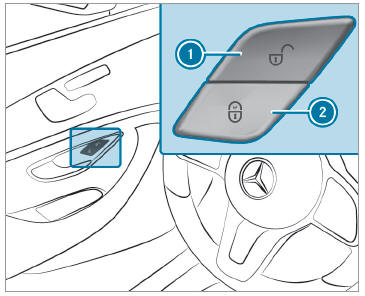
Activating/deactivating the automatic locking feature
The vehicle is locked automatically when the ignition is switched on and the wheels are turning faster than walking pace.

Copyright © 2026 www.meglc.net